A few months ago, I was searching for an easy way to create better images for my projects. I tried many tools, but nothing felt simple or creative enough until I found Getimg AI. It instantly changed how I design. Within minutes, I was making eye-catching images without needing any design skills.
In this blog, I’ll share my honest experience using Getimg AI, how it works, what I liked and if it’s really worth using in 2025.

What is Getimg AI?
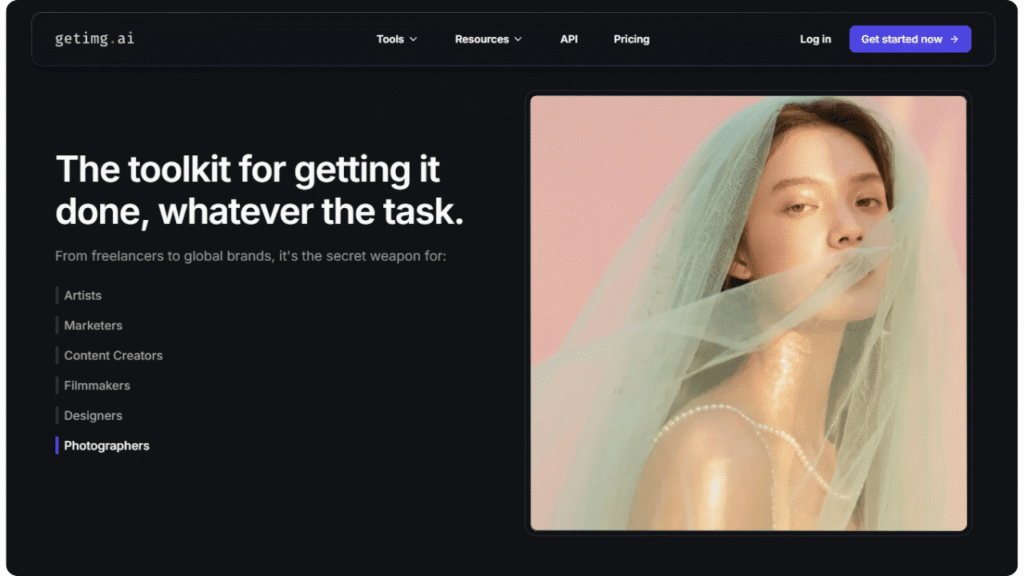
Getimg.ai is an all-in-one AI platform that helps designers, marketers, and creators make stunning images and videos in seconds. With simple text prompts, you can create high-quality visuals instantly, no need for boring stock photos anymore.
I started using it while creating banner ads for one of my projects, and honestly, I was surprised by how creative and sharp the results were.
It’s designed by a team focused on speed, creativity and visual consistency, something that many other AI tools still struggle with.
Who Should Use Getimg AI
If you are a:
- Content creator (for thumbnails, banners or cover art)
- Digital marketer (for campaigns, visuals and social posts)
- Designer or freelancer (for AI-assisted creativity)
- Startup founder (for quick branding or product visuals)
Then, Getimg AI can easily fit into your workflow.
What You Can Do with Getimg AI
When I first explored Getimg AI, it felt like a simple yet smart creative studio. Each tool, from image generation to editing, helped me turn ideas into stunning visuals within seconds.
| Tool | Description | My Experience |
| Image Generator | Create images from text prompts instantly. | The speed is insane, I got results in under 5 seconds. |
| Image Editor | Edit or enhance any image with AI. | Perfect for removing or changing parts of visuals. |
| Image Upscaler | Improves resolution without losing quality. | I used it for a logo and the output looked professional. |
| Image Extender | Expands your image beyond borders. | Ideal for YouTube thumbnails or posters. |
| Background Remover | Removes background in one click. | Super accurate with portrait photos. |
| AI Resizer | Adjusts image sizes for social platforms. | Saved me hours while resizing creatives. |
| Model Trainer | Train your own AI model for a consistent style. | I trained one for my brand’s tone took 20 mins, but worth it. |
Features of Getimg AI
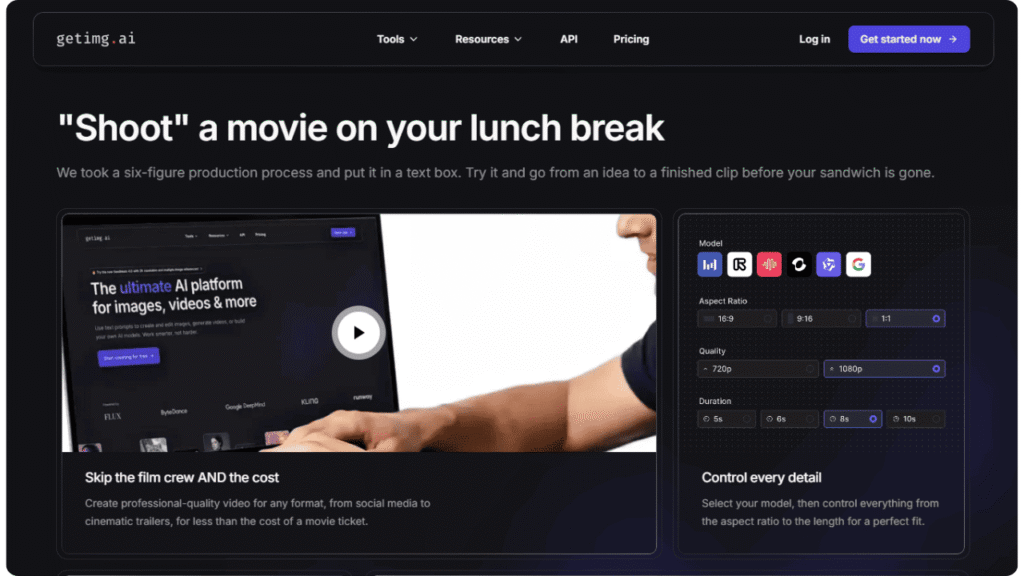
Each feature feels like it was built to keep up with your imagination, quick, effortless and ready to turn ideas into something beautiful in seconds.
- Text to Image: Type what you imagine and it generates a stunning image.
- Image to Image: Give it an image, and it creates a new version in your style.
- Consistent Characters: Keeps your characters looking the same across designs.
- Inpainting: Remove unwanted objects easily worked great on product photos.
- Custom Styles: Apply brand-based or artistic themes instantly.
- Background Changer: Change photo backgrounds without complex edits.
Real Use Case: I used the Consistent Character feature for a YouTube thumbnail series; it gave my visuals a branded identity in just minutes.
Getimg AI lets you explore various creative categories like: AI Art, Realistic Portraits, Pixel Art, Anime, Headshots, Stickers and Thumbnails all in one place.
If you’re a YouTuber, illustrator or brand designer, you’ll love how easy it is to jump between these styles and experiment.
Getimg AI Models
Getimg AI comes with different AI models, each built for a unique art style and quality. So you can create visuals that truly match your creative vibe.
| Model | Best For |
| Seedream 4 | Realistic visuals and portraits |
| Qwen Image | Clean and detailed compositions |
| FLUX.1 | Smooth, modern art styles |
| Seedance | Animation and motion style visuals |
| Google Veo 3 | Photorealistic video frames (beta) |
| MAGI-1 | Fantasy and game-style characters |
| MiniMax Hailuo 02 | Anime, manga and creative art |
| Nano Banana | Fast, lightweight model for bulk creation |
Key Features
Let’s dive deeper into the 3 I loved most:
- Image Extender: I extended a narrow banner into a widescreen hero section, and the details matched perfectly.
- Custom Model Training: I uploaded 10 brand visuals and trained them. Now, I can generate on-brand images automatically.
- Inpainting: Removed unwanted text from an image in 3 clicks. Cleaner than Photoshop!
Getimg AI: Hands-on Testing
I tested Getimg AI by generating 20+ images across prompts like:
- A futuristic workspace for creators
- Minimalistic product photography with reflections
Each output was unique, high-quality and visually balanced.
It’s one of the few tools where I didn’t need to tweak prompts multiple times.
Performance Benchmarks
| Factor | Result |
| Speed | 4.8/5 (avg. 5 seconds/image) |
| Output Quality | 4.7/5 |
| Consistency | 4.6/5 |
| Ease of Use | 4.9/5 |
| Glitches/Errors | Minimal |
Getimg AI Pricing
| Plan | Price (Monthly) | Features |
| Free Plan | $0 | 100 images/month |
| Starter | $12 | 1,000 images, upscaler, model access |
| Pro | $29 | All tools, faster queue, model training |
| Enterprise | Custom | API access, team support and advanced storage |
Integrations & Ecosystem
- Zapier Integration: Connect Getimg AI with your favorite tools and automate your creative flow. From generating visuals to scheduling posts, it fits right into your workflow, saving hours every week.
- API Access: The API access is a game-changer. You can plug Getimg AI powerful generation features directly into your own apps, websites, or design systems, bringing AI creativity wherever you need it.
- Discord Community: The Discord community is alive with creative energy people sharing ideas, giving feedback and helping each other grow. It doesn’t feel like a support group; it feels like family.
Getimg AI blends seamlessly into any marketing or design ecosystem, turning complex tasks into smooth, automated processes, so you can focus more on creating and less on managing tools.
Security & Data Privacy
When it comes to privacy, Getimg AI keeps things simple and safe. All your data is encrypted and stored securely no hidden risks or surprises. The best part is, you stay in control. You can delete any of your uploaded files anytime, right from your dashboard. Plus, the platform follows GDPR rules, so your information always stays private and protected while you create with confidence.
Support & Onboarding
- Live Chat
- Email Support
- Discord Server
- FAQ, Tutorials and Blogs
The onboarding process is beginner-friendly; I got started in under 10 minutes.
Detailed Pros & Cons
Pros:
- Multiple AI Models: Offers different models for various art styles, giving you full creative flexibility.
- Easy-to-Use Interface: The interface feels natural, clean and welcoming, like a tool that understands how you think.
- Custom Model Training: Helps maintain brand consistency by training your own AI style.
- Frequent Updates: The team keeps adding new features and improvements regularly.
Cons:
- Learning Curve for Training: Model training takes a bit of time to understand at first.
- No Video Generation Yet: Currently limited to image-based creation only.
- Rendering Time: Complex or detailed prompts may take a few extra seconds to process.
Read More: Why Every Brand Needs an Enemy: The Secret to Building a Powerful Identity
Read More: What AI Agents in Marketing Really Mean for the Future of Marketing Teams
Alternatives & Comparisons of Getimg AI
| Tool | Best For | Why Choose |
| Leonardo AI | Concept art, game visuals | Advanced community features |
| Krea AI | Designers | Simple, aesthetic interface |
| Getimg AI | Marketers & Creators | All-in-one suite + strong models |
Frequently Asked Questions
Q1. Is Getimg AI free?
Yes, Getimg AI has a free plan. You can create a limited number of images every month without paying. It’s perfect for testing the tool and seeing if it fits your needs before upgrading.
Q2. Can I train my own AI model?
Yes, you can Getimg AI allows you to train your own custom model on higher plans. You just upload a few images, name your model and the tool builds a consistent style or character for you. No technical skills needed.
Q3. Does it support anime style?
Yes, Getimg AI supports anime very well. It includes special anime-focused models that can create clean, high-quality manga and anime-style images with just a simple prompt.
Q4. Can I use it for commercial work?
Yes, you can use Getimg AI for commercial projects if you’re on a paid plan. This means you’re allowed to use the images for clients, ads, branding, products and professional work. The free plan is mostly for personal use.
Q5. Do I need to be a designer?
No, not at all. Getimg AI is made for everyone even beginners. The interface is simple, the tools are easy to use and you can create great visuals with just a few prompts.
After using Getimg AI for over two weeks, I can confidently say it’s one of the most balanced and creator-friendly AI tools right now. It’s fast, affordable and genuinely helpful for marketers, content creators and designers who need visuals daily.